
Gifts (Shagun/Moi)
Shagun and Moi, without the notebook.
Guests scan one QR and give their gift straight to your UPI. Every gift is recorded, every guest gets a cheque they can trust, and you keep a register for the years ahead. ApnaTrees never touches the money.

- 0%
- commission: paid straight to your UPI
- Any
- UPI app works for guests
- PDF + Excel
- register, by name or village
01 For your guests
Scan, pay, and get a gift cheque.
Print or show one QR at the function. Guests scan it with any phone and pay from any UPI app. No app, no account.
What you see
- A printed card, “Priya & Karthik, scan to give moi”, with a QR.
- On the guest’s phone, the name “Murugan & family”, the place “Madurai” and ₹501 are typed.
- A plain confirmation says “Paid to Kumar family”.
- The moi cheque slides in and the Verified stamp presses on it.
- The cheque, with its QR, stays on screen.
-
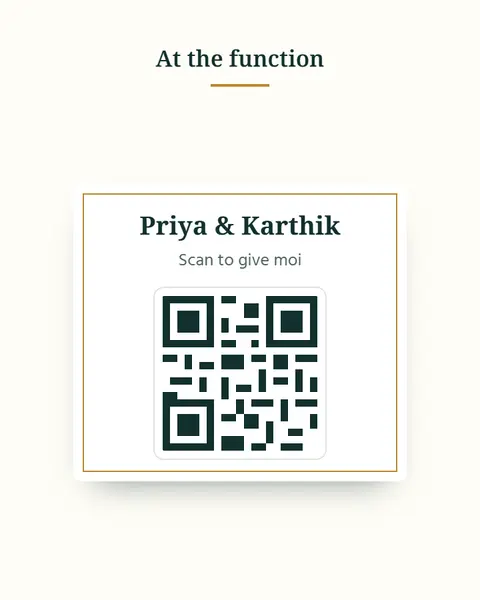
1Scan
Print or show one QR at the function. Guests scan it with any phone. No app, no account.
-
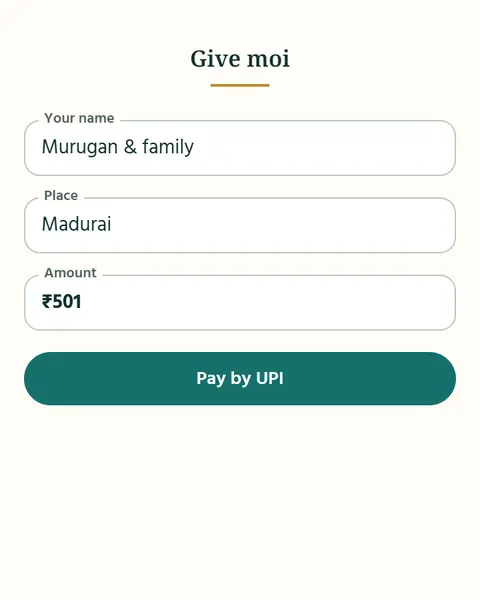
2Pay
They enter their name, place and amount, and pay their gift straight to your UPI from any UPI app.
-
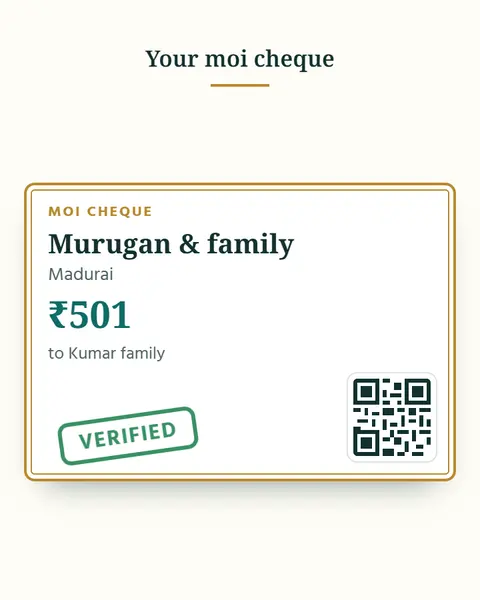
3Cheque
Every guest gets a gift cheque with a QR anyone can check, so there is no doubt about who gave what.
02 For you
A register you can trust.
Upload your bank statement and every payment is matched. Keep the full register so you can return gifts at the right time.
What you see
- The host’s screen says “Moi register, 0 matched” and offers “Upload bank statement”.
- Rows tick green one by one: Murugan ₹501, Selvi Akka ₹1,001, Raman Mama ₹2,001.
- One row is flagged “Amount does not match”, and “2 pending” shows.
- “Keep the register” offers PDF and Excel, with a “By village” view.
-
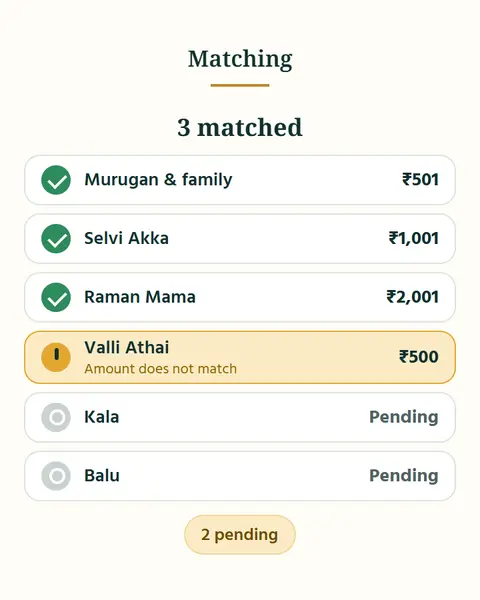
1Match
Upload your bank statement. ApnaTrees matches each payment, shows who is pending and flags amounts that do not match.
-
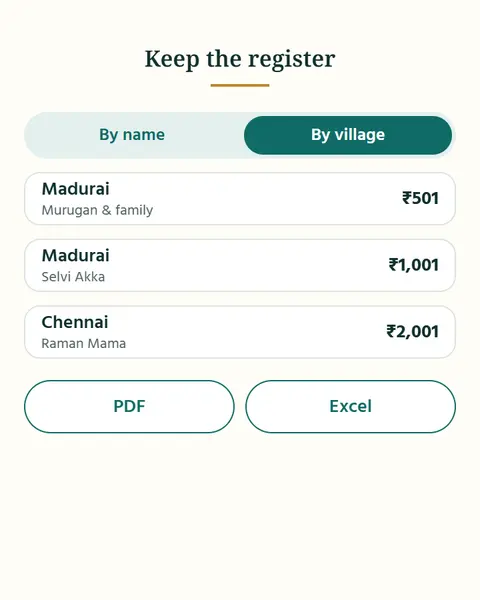
2Register
Keep the full register as PDF or Excel, by name or by village, so you can return gifts at the right time.
Questions about Gifts
Does ApnaTrees take a cut of the gifts?
No. Guests pay straight to your UPI. ApnaTrees never touches that money. You pay once for the event, in a pack sized to the number of gifts you expect.
Does a guest need the app to give a gift?
No. They scan the QR, pay by any UPI app, and get their gift cheque.
Are gifts on for every function?
No. Turn it on per function, only where gifts are given.
What if a payment is missing?
It shows as pending after you match your statement, so you can check with the guest.
Bring your family together for every occasion.
On Android and iPhone. Your people are already on your phone: start there.